
Game series: Command & Conquer
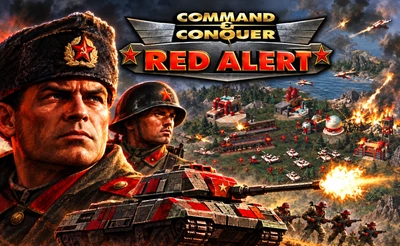
Command & Conquer 2 : Alarmstufe Rot (Red Alert) — Key facts
Free direct download
Windows: download, extract, launch. The main download is now a standard ZIP containing the CnCNet game folder, not an online installer.
- Download the ZIP file.
- Right-click it in Windows File Explorer and select Extract All.
- Open the extracted RedAlert-CnCNet folder and launch RedAlert.exe. Do not run it from inside the ZIP.
No additional extraction software is required. The files have been verified against the previous archive; we have not yet performed our own Windows gameplay test of this package. Online features are optional.
Classic: the two original discs (Allied and Soviet) are under Other downloads as RAR files with ISO image and patch RA108USP.EXE. The easiest way is to let the Red Alert Setup Manager (under Other downloads) install the extracted CD1_ALLIED_DISC.ISO. On Windows XP/7 mount the ISO, run install.exe from the Setup95 folder in “Windows 95” compatibility mode as administrator, then copy RA108USP.EXE into the game folder, run it and start Patch.exe.
Direct download, no registration needed. After downloading, unpack the file or run the setup.
Description and infos about the game

tags: real-time strategy, allies, soviets, skirmish
Features
- One of the best strategy games
Requirements
- 1 GHz processor
- 512 MB RAM
- 3D graphics card with 64 MB
- DirectX-compatible graphics card
- Keyboard and mouse
- Free hard drive space for installation
Misc
Original Allied disc (RAR) (500 MB) · Original Soviet disc (RAR) (502 MB) · Red Alert Setup Manager 0.98 for the disc version (3 MB)Screenshots